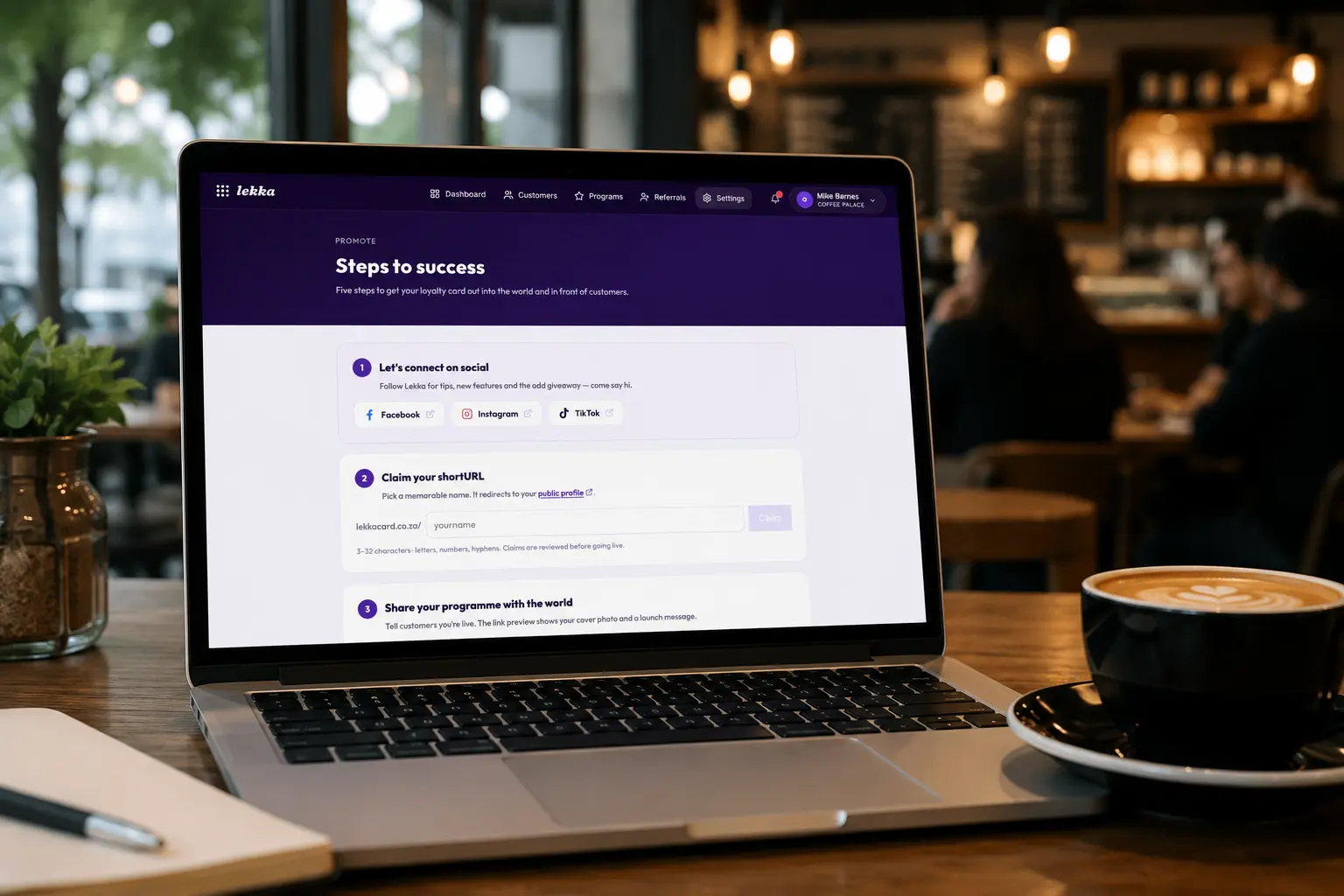
You've set up your loyalty card, picked your reward, and put a QR code on the counter. The next job is getting it in front of people, because a programme only grows when customers can easily find it and join. That's exactly what the new Promote page is for. It lives in your dashboard under Settings → Promote, and it gathers everything you need to spread the word into one place, laid out as a few simple steps.
The best part is the bit at the top: your own short link. Instead of sending people to a long web address, you get something short, memorable, and yours (lekkacard.co.za/yourname) that takes them straight to your card.
Claim your short link, free
Pick a name and claim it: a café might grab lekkacard.co.za/mollyscafe, a salon lekkacard.co.za/shimmer, a hardware store lekkacard.co.za/buildit. It's easy to say out loud, easy to put on a poster or in your Instagram bio, and it sends customers straight to your public card where they can join in a couple of taps. There's no app to download, and it's included free on every plan. Claim the name before someone else does. We give it a quick review and switch it on for you shortly after.
💡 Tip
Use your short link everywhere your business already shows up: your Instagram and Facebook bio, your Google listing, your email signature, the bottom of a receipt. One link, everywhere, all pointing at your card.
Share your programme in a tap
From the same page you can announce your programme straight to Facebook, WhatsApp, X, LinkedIn or email. When you share, the link preview pulls in your cover photo and a friendly launch message, so it looks the part wherever it lands. There's a ready-made caption to copy too, handy for Instagram and TikTok, where you paste rather than click.
Put it on your website
Got a website? Drop in a live widget (a small card showing your reward and a "Join" button) or a simple badge that links to your card. Both are copy-and-paste: grab the snippet, paste it into your site, done. It picks up your branding if you're on a plan that includes custom colours, so it looks like part of your shop, not a bolt-on.
Grab your logos and posters
Promote also keeps your brand assets in one place: download your logo and social icons to use as profile pictures or in posts, and head to the print assets for a QR poster and counter card to put up in-store. Everything a customer might scan or tap, ready to go.
A simple order to work through
- 1Claim your short link: lekkacard.co.za/yourname.
- 2Share your programme to your socials.
- 3Add the widget or badge to your website.
- 4Download your logos, icons and a QR poster for the counter.
None of it takes long, and you don't have to do it all at once. Start with the short link, put it in your Instagram bio today, and build from there. The point is to make joining your loyalty card the easy, obvious next step everywhere a customer already finds you.
Claim your short link
Open the Promote page in your Lekka dashboard, grab your lekkacard.co.za/yourname link, and start getting your loyalty card out into the world.
Open PromoteFree on every plan · no app for customers · no per-transaction fees